Removing members from a distribution list
Overview:
Remove members from an existing distribution list.
Remove a distribution list member:
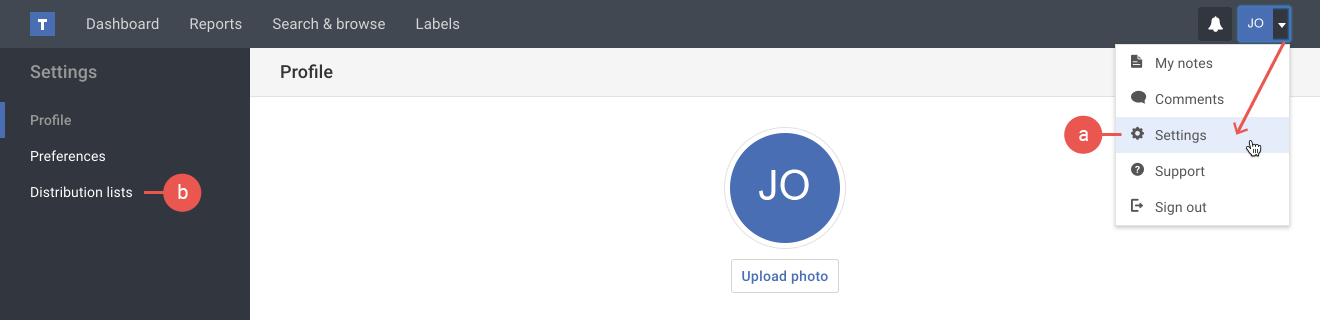
- If you're not already viewing the distribution list page, do the following:
a) Click the Settings option in your user menu.
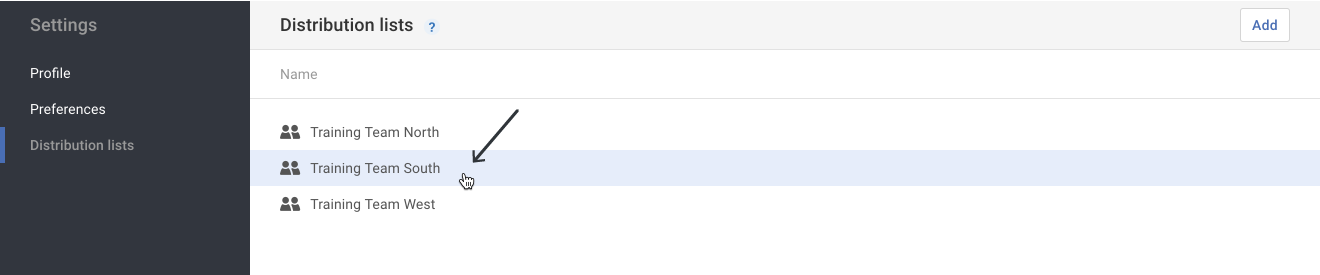
b) Click the Distribution lists option in the Settings menu on the left. - Click on the Distribution list that needs to have members removed.
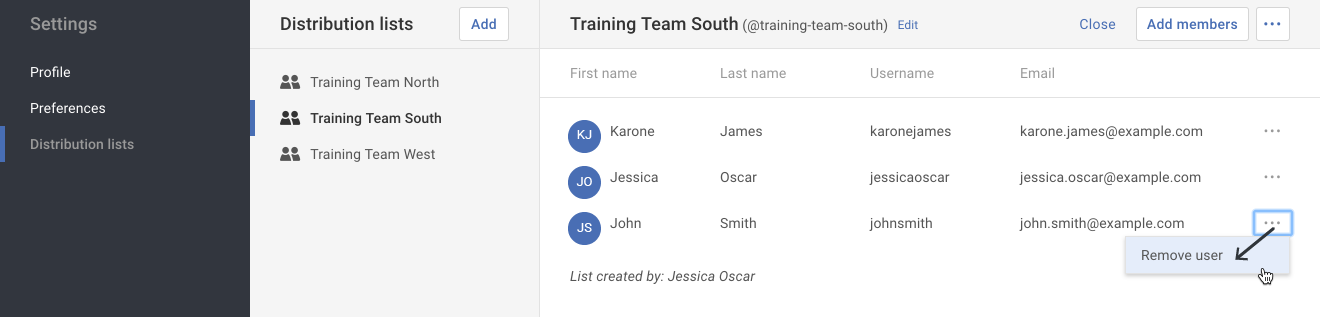
- Click on the More actions ( ••• ) button in the row of the member to be removed. Select the Remove user option in the drop-down menu.
Warning: The user is removed without a confirmation. If you accidentally removed the wrong user, you may add the member again.