Adding members to a distribution list
Overview:
Add members to an existing distribution list. Distribution lists can be used in call comments to alert members of key call events.
Add a distribution list member:
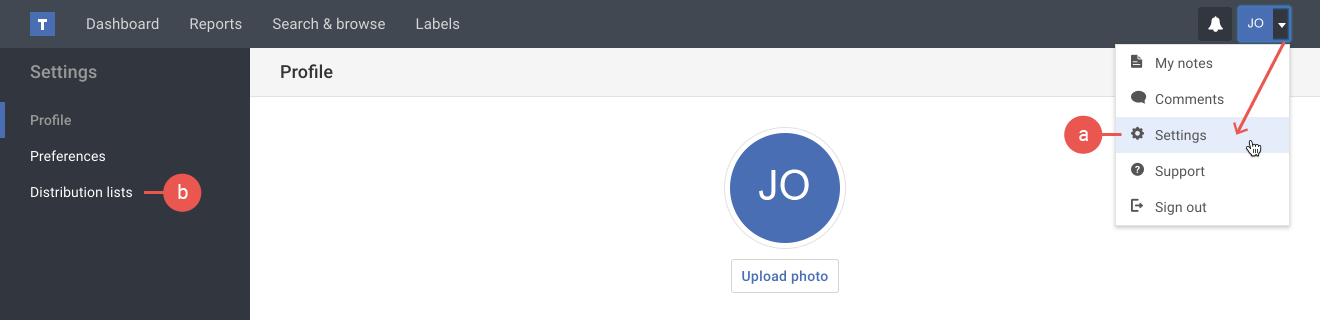
- If you're not already viewing the distribution list page, do the following:
a) Click the Settings option in your user menu.
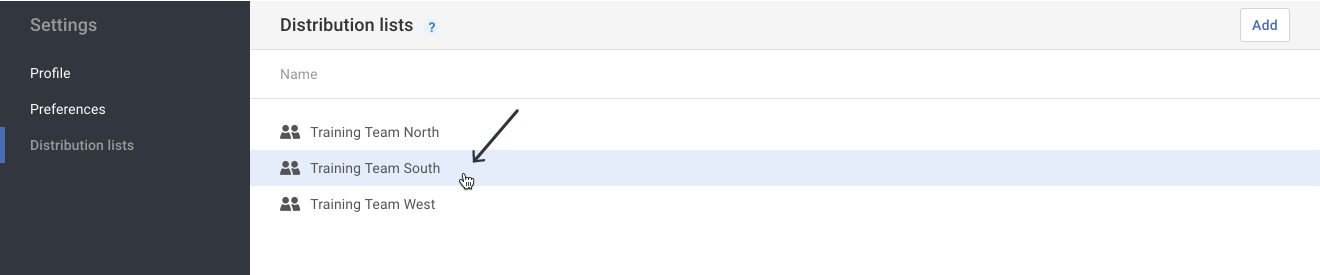
b) Click the Distribution lists option in the Settings menu on the left. - Click on the Distribution list that needs to have members added.
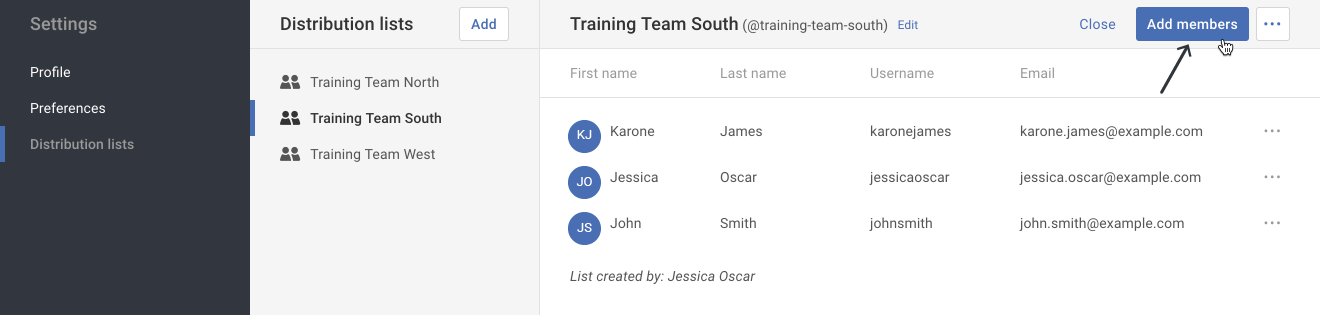
- Click on the Add members button.
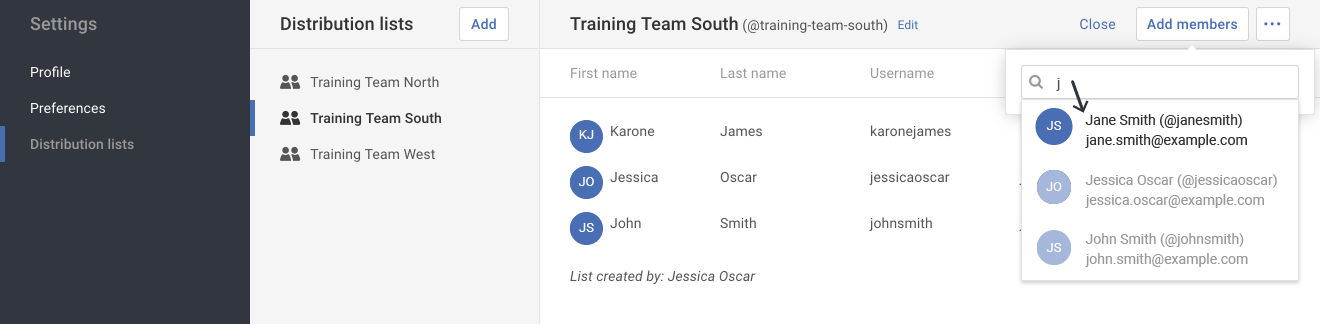
- In the pop-up, begin typing the member's name in the Add members field. Select the member once you see their name in the results list.
Tip: You may repeat this step until all members have been added.