Adding notes or comments to an interaction
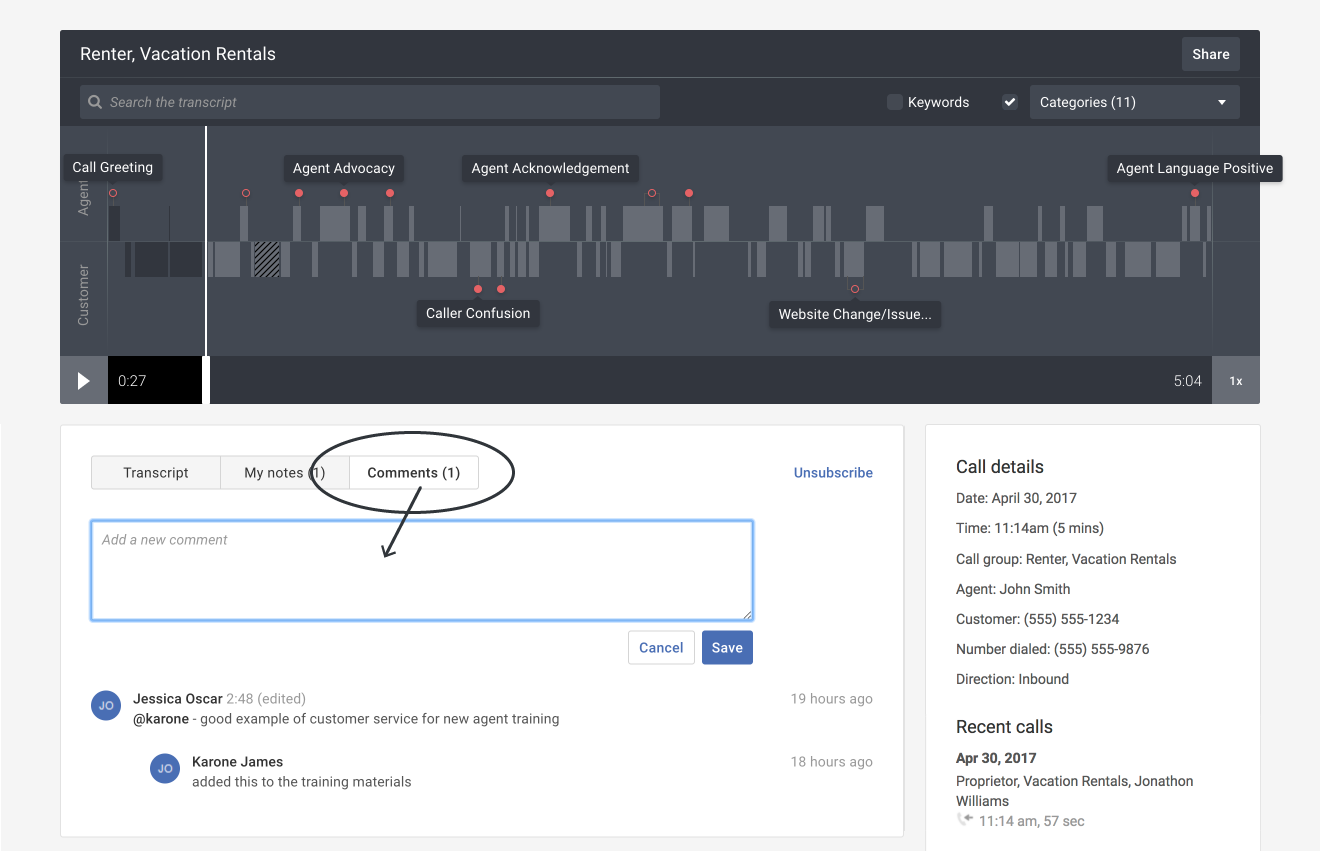
Add either a note or comment to an interaction. Notes are private and can only be seen by you. Comments are public and can be seen by all Creovai users.
Getting started: If you’re not already viewing an interaction, first click on an interaction in Search & browse or from one of your Reports.
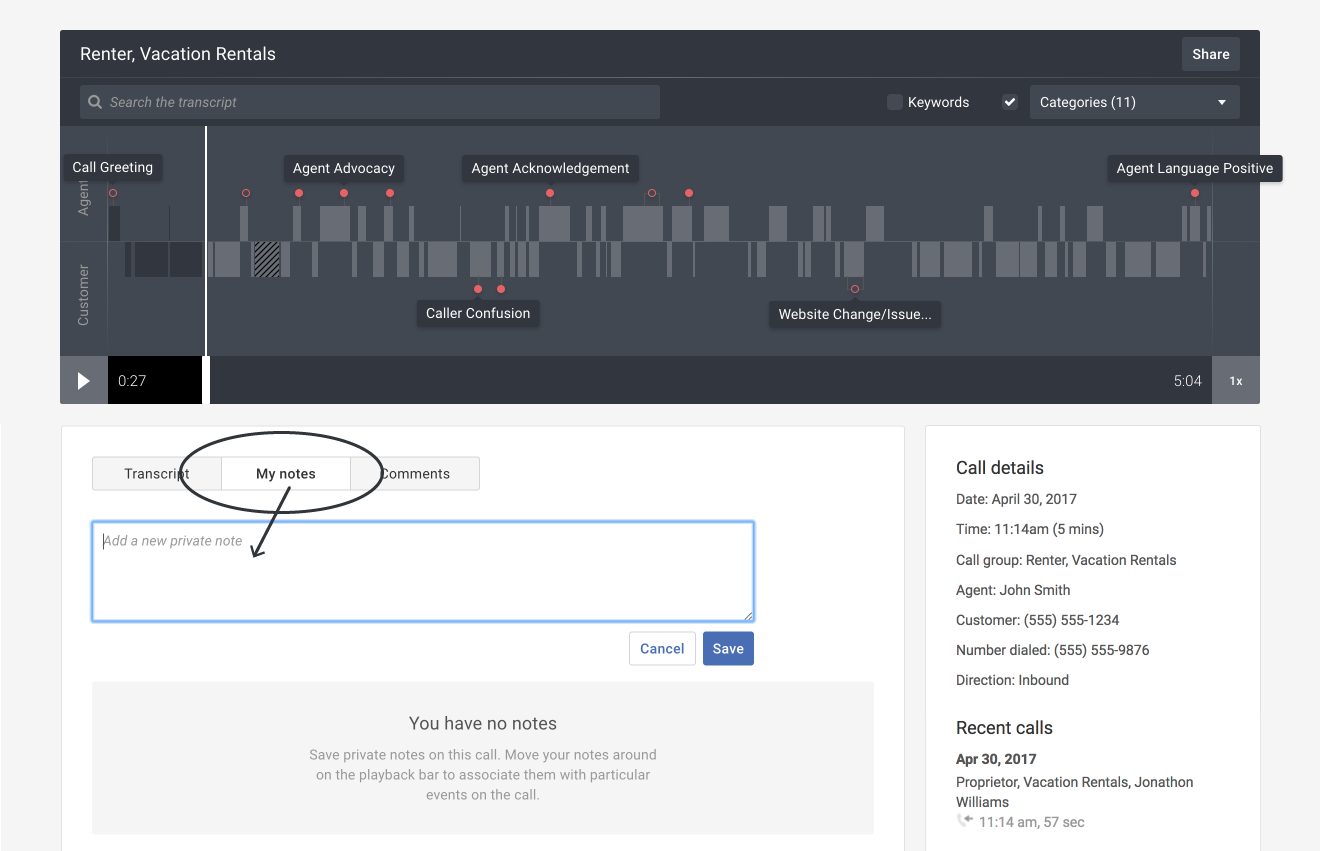
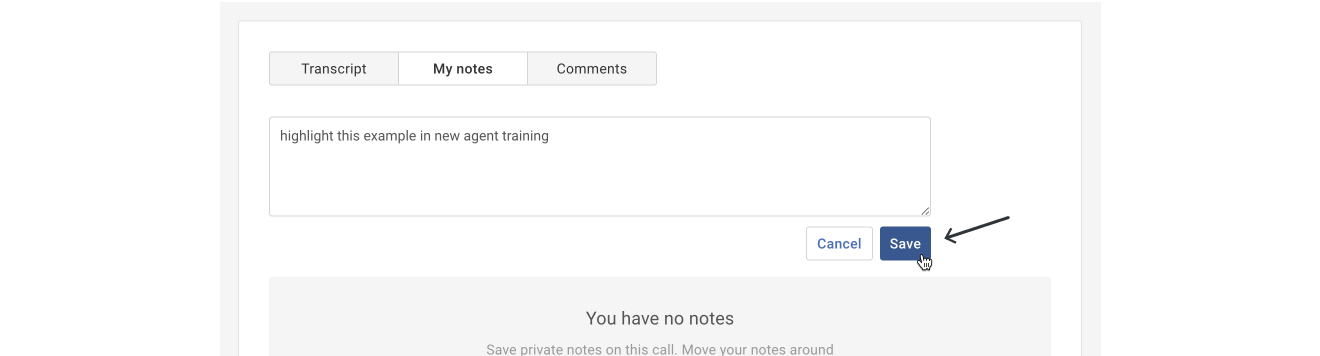
Add a new private note:
- Click the My notes tab. Type your private note.
Tip: If you'd like to flag your note for a specific time in the call interaction, play the call and pause it at the desired location. After the note is created, it will reflect the timestamp you chose (for example, "0:20" or 20 seconds into the call). - Click the Save button.
Add a new public comment:
- Click the Comments tab. Type your public comment.
Tip: If you'd like to flag your comment for a specific time in the call interaction, play the call and pause it at the desired location. After the comment is created, it will reflect the timestamp you chose (for example, "0:20" or 20 seconds into the call).
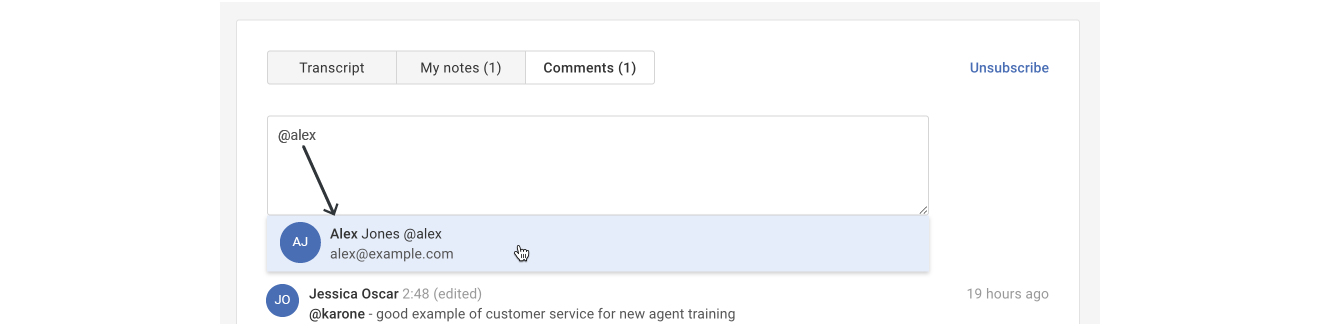
- Optional: If you'd like to alert another Creovai user of your comment, begin typing their name in the format of "@firstname" and then select their name in the drop-down list.
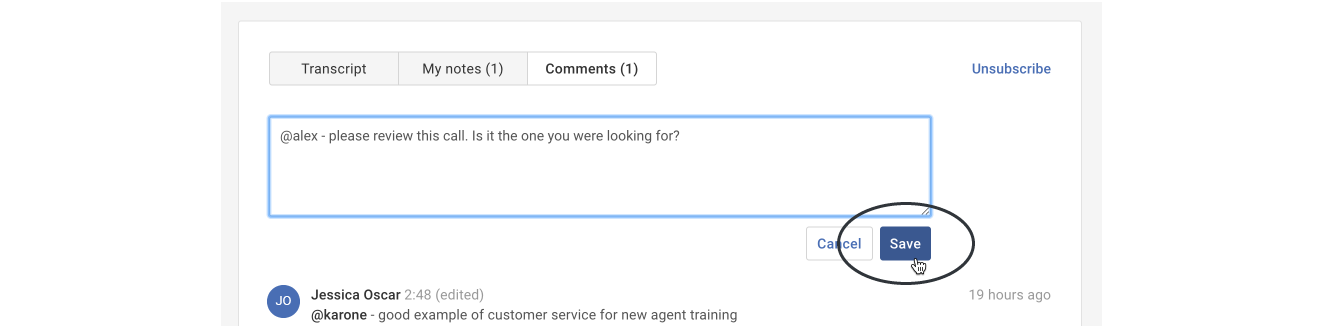
- Add your comment and then click the Save button to post your public comment.