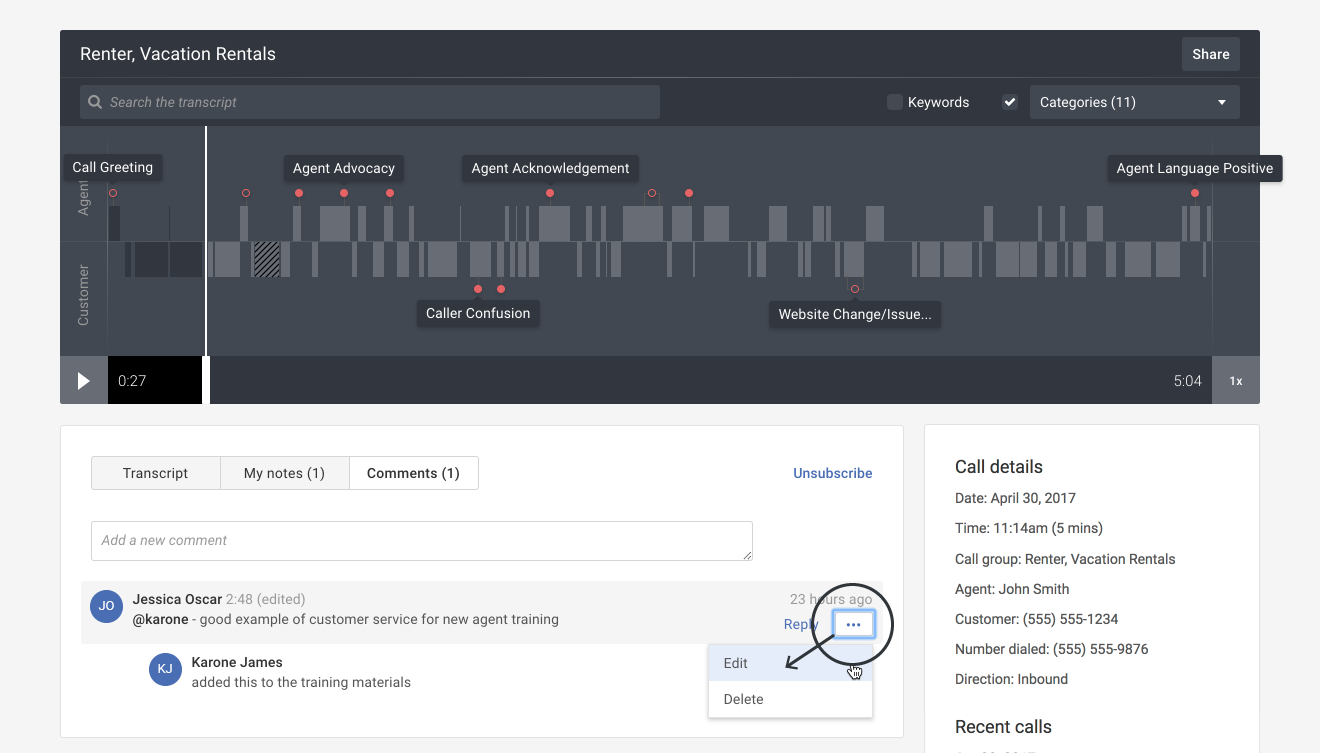
Editing a note or comment
Overview:
Edit one of your notes or comments on a call.
Getting started: If you’re not already viewing a call, first click on a call in Search & browse or from one of your Reports.
Edit a private note:
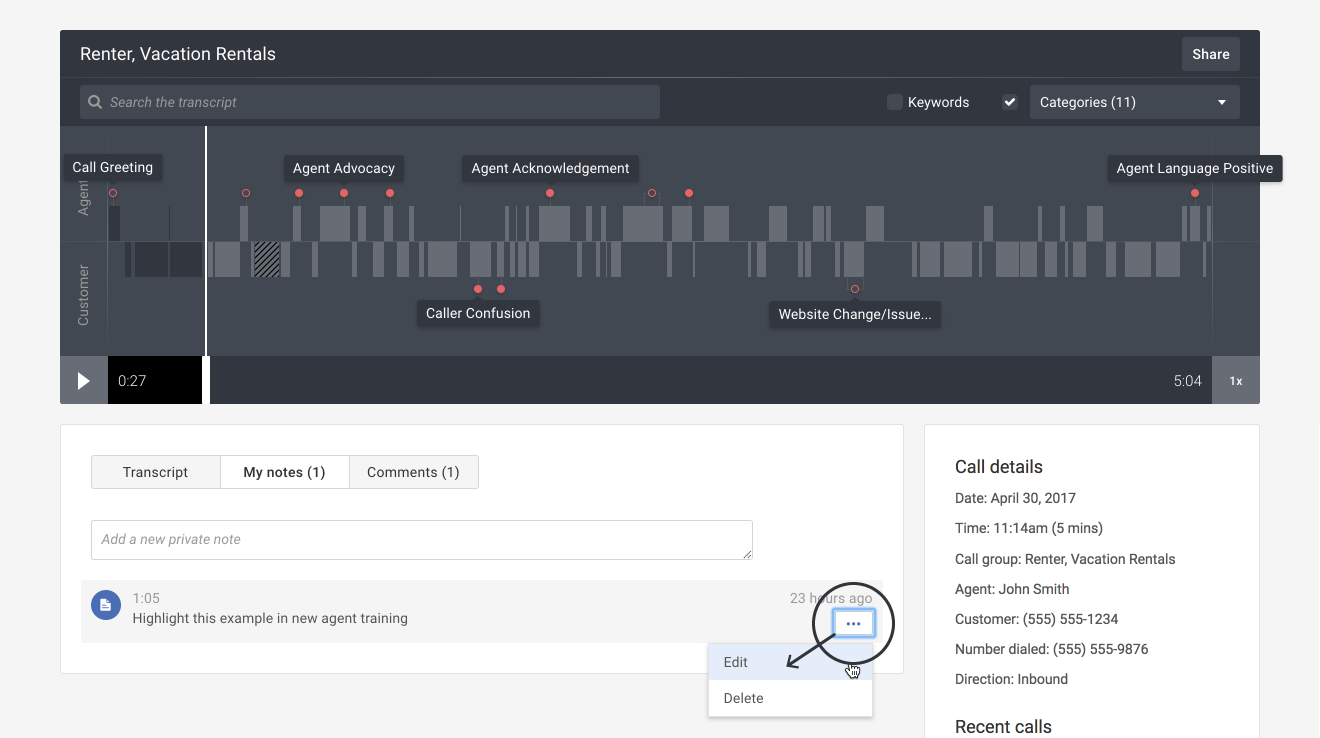
- Hover your mouse over the note and then click the More actions ( ••• ) button. Select the Edit option in the drop-down menu.
- Revise your note and then click the Save changes link.

Edit a public comment:
- Hover your mouse over the note and then click the More actions ( ••• ) button. Select the Edit option in the drop-down menu.
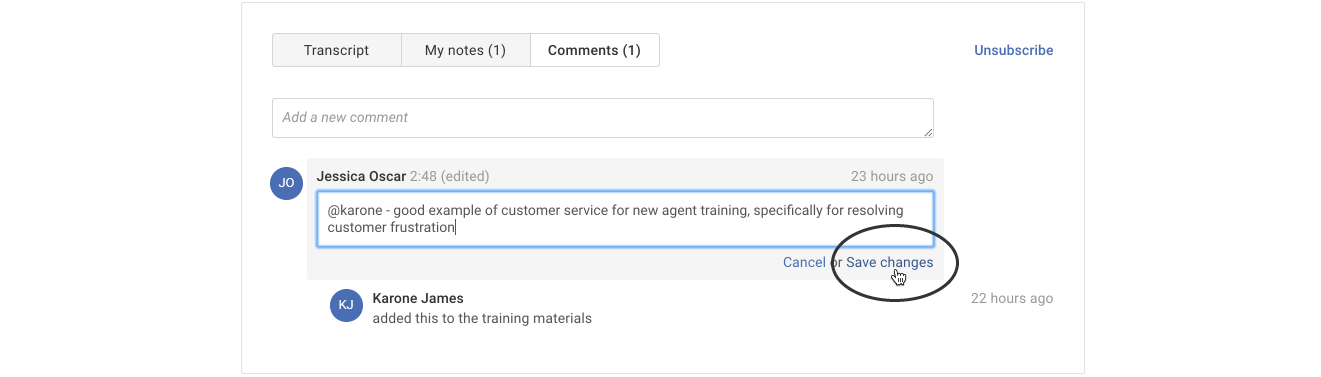
- Revise your comment and then click the Save changes link.