Updating your user password
Overview:
Update your Creovai user password.
Update your user password:
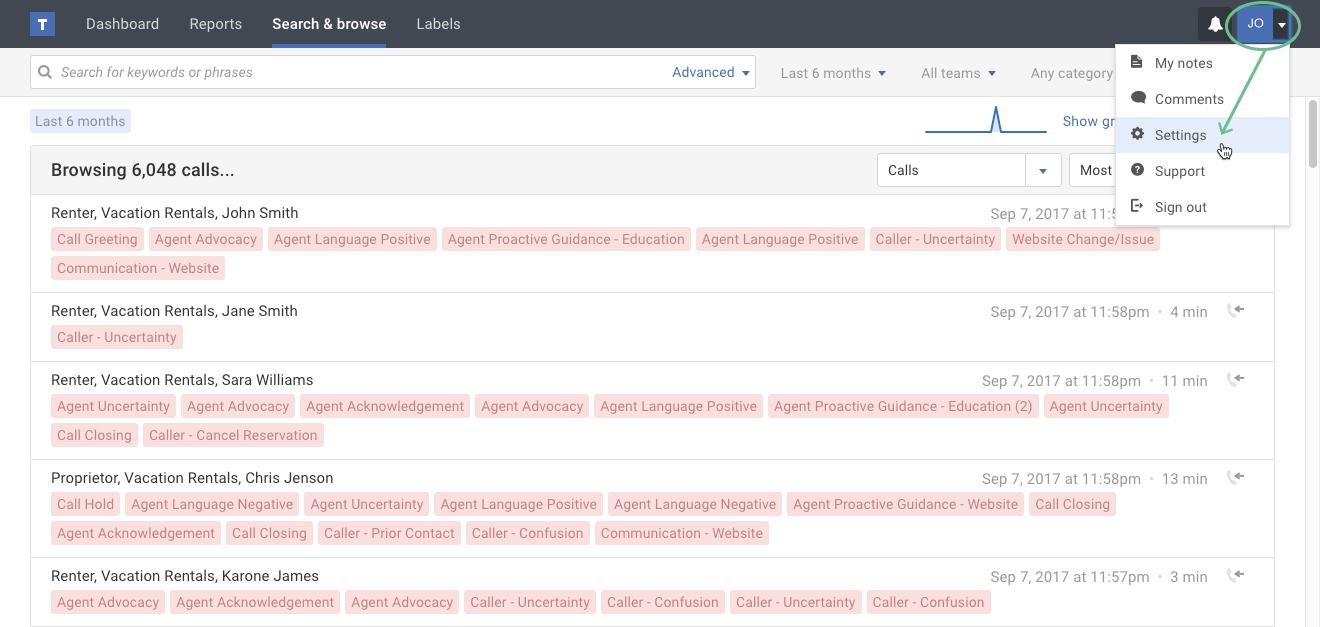
- If you're not already viewing your user profile page, click the Settings option in your user menu.
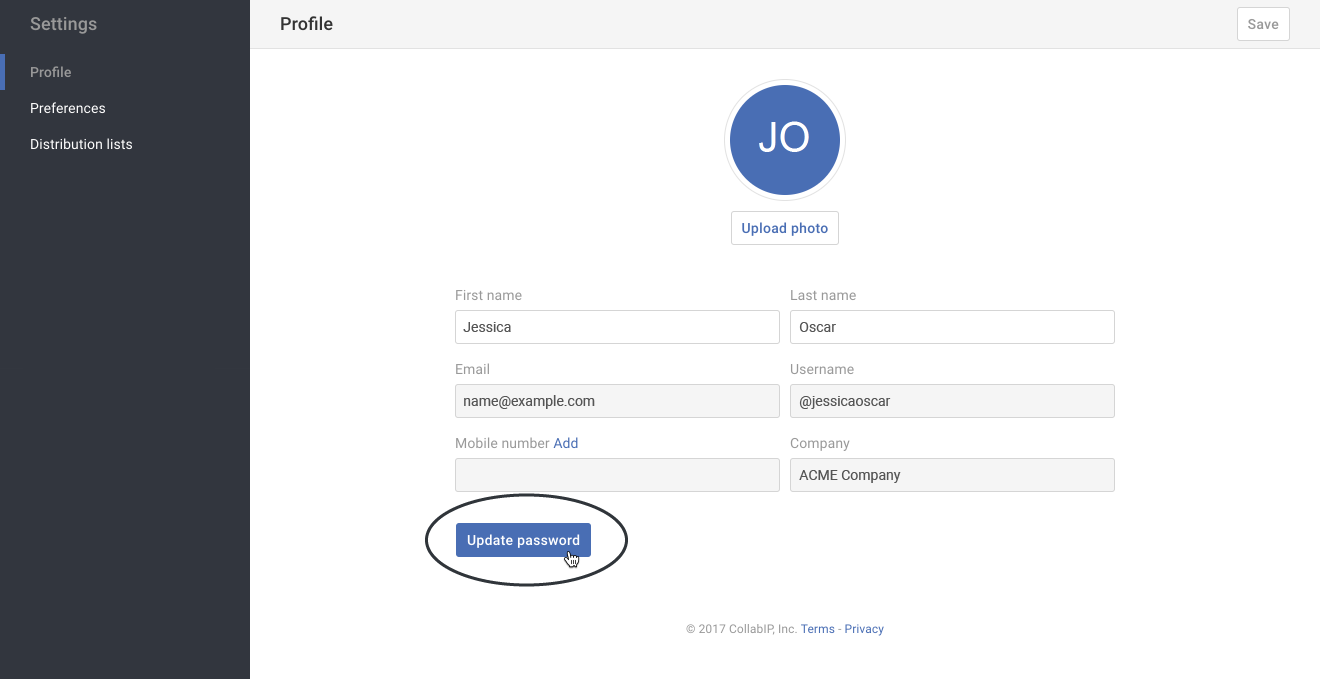
- Click the Update Password button.
- In the pop-up, type your current password and supply a new password that meets the listed password criteria. Then click the Update password button.