Managing your reports list
Overview:
Add, rename, and delete reports within your report list.
Getting started: If you’re not already viewing your report list, first click on the My reports option in the Insights menu at the top of the application.
Add a new report to the list:
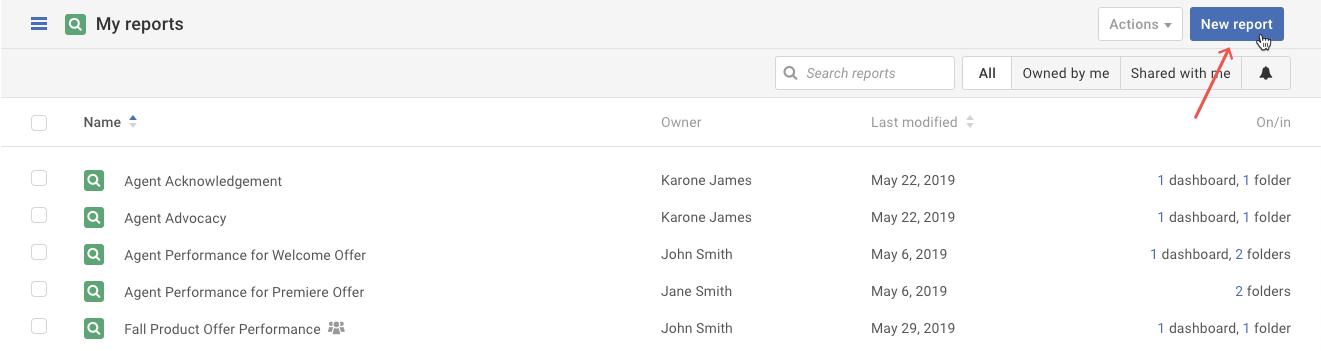
Click on the New report button above the Reports List. Refer to the Create a New Report article for next steps.
How to delete a report in the list:
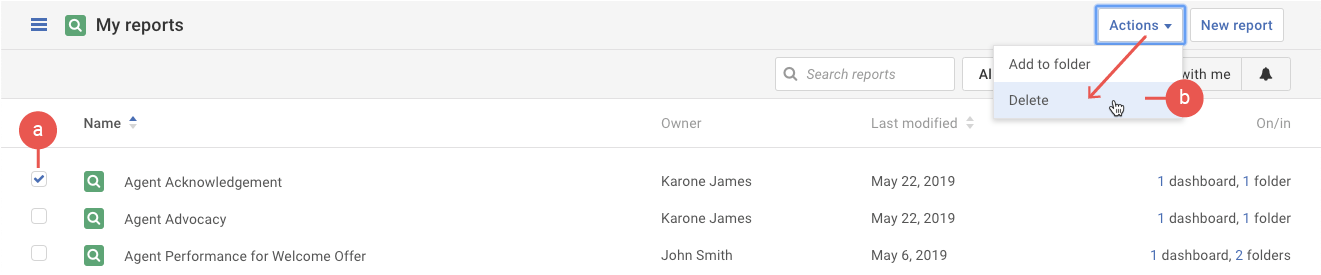
- First check a report (a) and then select the Delete option in the Actions menu (b).
Tip: You can only delete a report owned by you. To remove yourself from a shared report, refer to the following article: Removing yourself from a shared report - A pop-up appears to confirm that you want to delete the report. Click the Delete button to confirm the deletion.
Warning: Please be aware that deleting a report cannot be undone.